Table of Contents
- What Is Assistive Technology in Education?
- Defining Assistive Technology Under IDEA and ADA
- Why Assistive Technology Is Essential for Inclusive Classrooms
- Who Benefits from Assistive Technology in Schools?
- The 3 Tiers of Assistive Technology Explained
- Low Tech Assistive Technology in the Classroom
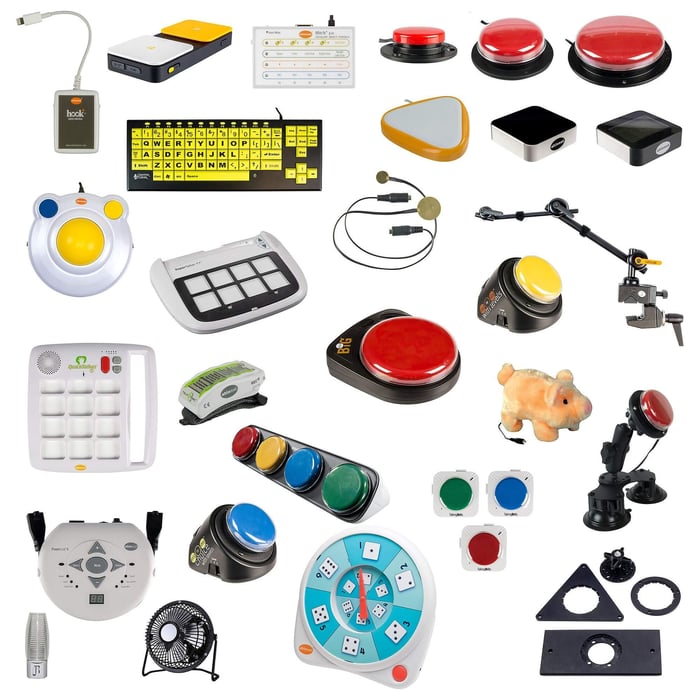
- Mid Tech Assistive Technology Examples for Schools
- High Tech Assistive Technology Examples for Schools
- How to Choose the Right Tier for Each Student
- Assistive Technology for Communication Disorders in the Classroom
- Low Tech Communication Supports
- Mid Tech Communication Devices
- High Tech AAC Devices and Speech Generating Technology
- Key Considerations for Speech Impaired Students
- Assistive Technology for Physical Disabilities in the Classroom
- Adaptive Seating and Positioning Equipment
- Mobility Aids and Wheelchair Accessibility
- Fine Motor and Writing Aids
- Computer Access and Switch Technology
- Low Tech Assistive Technology for Autism
- Visual Schedules, Social Stories, and Predictability Tools
- Sensory Motor Tools and Sensory Diet Supports
- Deep Pressure Products and Calming Tools
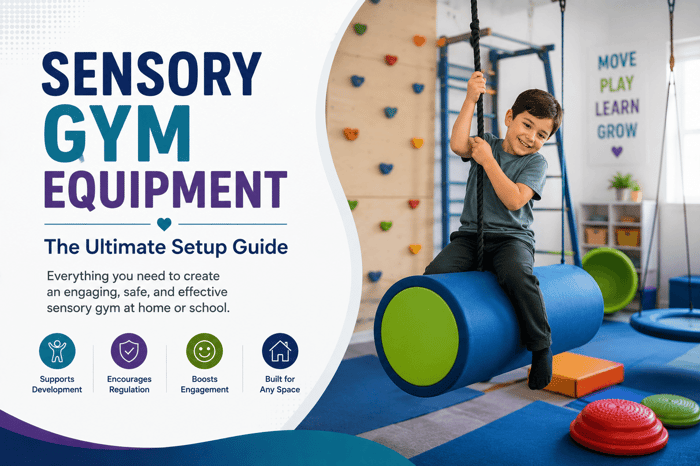
- Sensory Room Equipment and Calm Down Corners
- Assistive Technology in Education: Subject Specific Examples
- AT Tools for Reading and Literacy
- AT Tools for Math and Numeracy
- AT Tools for Writing and Fine Motor Development
- AT Tools for Social Emotional Learning and Behavior
- How to Build an AT Friendly Classroom Environment
- Setting Up Sensory Spaces and Calm Zones
- Integrating AT into IEPs and 504 Plans
- Collaborating with OTs, PTs, and Speech Language Pathologists
- How Schools Can Source and Fund Assistive Technology
- Federal Funding, Grants, and Medicaid Pathways
- Purchase Orders and B2B Procurement for Schools
- Letters of Medical Necessity and Insurance Support
- Getting an Expert Quote for School AT Needs
- Why eSpecial Needs Is a Trusted Source for Assistive Technology and Adaptive Equipment
- Final Thoughts
- FAQs
Assistive Technology in Education: Tools, Examples, and Classroom Support for Students with Disabilities
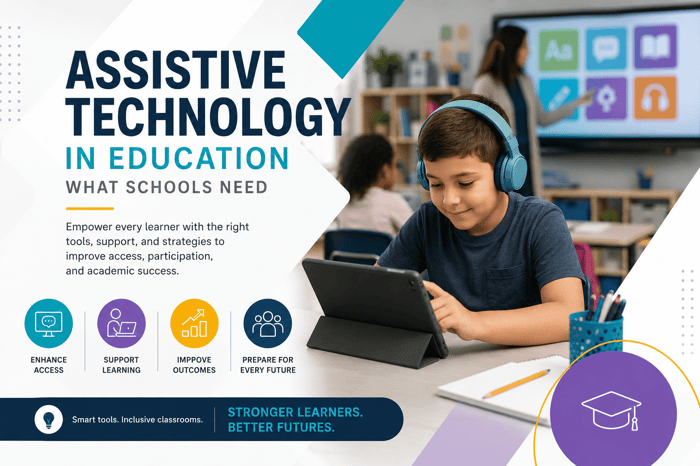
Assistive technology in education helps students with disabilities access learning, communicate more effectively, participate in classroom routines, and build greater independence. In modern schools, assistive technology can include everything from pencil grips and visual schedules to AAC devices, adaptive seating, speech to text software, sensory tools, communication boards, and mobility supports.
For many students, the right tool can remove a barrier that would otherwise make learning, communication, writing, movement, or participation more difficult. A student who cannot speak reliably may use a communication device to answer questions. A student with limited hand strength may use an adapted pencil or keyboard. A student with autism may use a visual schedule to understand transitions. A student with a physical disability may need adaptive seating or switch access to participate in digital learning.
The goal of assistive technology in education is not to give students an advantage over their peers. The goal is to give students access. When tools are matched to student needs, IEP goals, and classroom expectations, they can help learners participate more fully in academic, social, and daily school activities. This guide explains what assistive technology in education means in schools, the difference between low tech, mid tech, and high tech tools, how assistive technology supports communication, autism, physical disabilities, academics, and behavior, and how schools can source and fund the right equipment.
What Is Assistive Technology in Education?
Assistive technology in education refers to tools, equipment, software, devices, or supports that help students with disabilities access learning and participate in school. These tools may support reading, writing, communication, mobility, sensory regulation, fine motor skills, classroom participation, social emotional learning, or independent work.
Assistive technology can be simple or advanced. A pencil grip is assistive technology. So is a speech generating AAC device. A visual timer, adaptive keyboard, wheelchair accessible desk, switch adapted toy, sensory cushion, or text to speech app may also be assistive technology when it helps a student function more successfully in school. In short, assistive technology in education helps students do what they need to do in the classroom, even when a disability creates barriers.
Defining Assistive Technology Under IDEA and ADA
In school settings, assistive technology in education is closely connected to disability rights and special education law. Under IDEA, assistive technology includes both devices and services. A device may be any item, piece of equipment, or product system used to improve functional capabilities for a child with a disability. A service may include evaluation, selection, acquisition, training, and support related to the device.
This matters because schools may need to consider assistive technology when developing an IEP for an eligible student. If a student needs assistive technology to access instruction, communicate, participate, or make progress, the IEP team should discuss what tools and services are required. The ADA also supports access through effective communication and auxiliary aids or services. In school environments, this may affect students who need communication access, hearing support, visual access, or other accommodations.
QuickTalker FeatherTouch 23

$265.00
This dynamic speech device is easy to use, durable, and and goes everywhere with the user. QuickTalker FT 23 is perfect for use when reading a story, interacting during a lesson in the classroom, or communicating with a family member.… read more
Why Assistive Technology Is Essential for Inclusive Classrooms
Inclusive classrooms are built on the idea that students with disabilities should have meaningful access to learning alongside their peers whenever appropriate. Assistive technology helps make that access practical. Without the right supports, a student may be present in the classroom but unable to participate fully. For example, a student may understand the lesson but be unable to write answers by hand. Another student may want to communicate but lack a reliable speech method. Another may become overwhelmed by transitions and need visual supports to navigate the school day.
Assistive technology in education can support:
- Access to instruction
- Communication
- Independence
- Classroom participation
- Academic progress
- Physical access
- Sensory regulation
- Behavior support
- Social interaction
- IEP goal progress
The right tools can help students show what they know.
Who Benefits from Assistive Technology in Schools?
Assistive technology may benefit students with many different needs, including:
- Autism spectrum disorder
- Cerebral palsy
- Down syndrome
- Speech or language disorders
- Learning disabilities
- Dyslexia
- ADHD
- Hearing impairments
- Vision impairments
- Physical disabilities
- Fine motor delays
- Developmental delays
- Sensory processing challenges
- Intellectual disabilities
- Traumatic brain injuries
- Multiple disabilities
Some students need assistive technology all day. Others need it only during specific subjects, transitions, communication tasks, or physical activities. The best tools are chosen based on the student’s functional needs, not the diagnosis alone.
The 3 Tiers of Assistive Technology Explained
Assistive technology in education is often grouped into three tiers: low tech, mid tech, and high tech. These categories help educators and families understand the level of complexity, cost, and training involved.
| Tier | Description | Examples |
|---|---|---|
| Low tech | Simple tools that do not require power or advanced setup | Pencil grips, visual schedules, adapted paper, picture cards |
| Mid tech | Tools that may use batteries or simple electronics | Voice output buttons, audio recorders, talking timers |
| High tech | Advanced electronic or digital tools | AAC devices, tablets, speech to text software, eye gaze systems |
The most advanced tool is not always the best tool. A simple visual schedule may be more effective than an app if it matches the student’s needs and environment.
Low Tech Assistive Technology in the Classroom
Low tech assistive technology in education is often affordable, easy to use, and quick to implement. These tools can support students without requiring complicated training or technology setup.
Examples include:
- Pencil grips
- Slant boards
- Adapted paper
- Visual schedules
- Picture cards
- Communication boards
- Highlighters
- Reading guides
- Raised line paper
- Graphic organizers
- Timers
- Fidgets
- Velcro task systems
- Adaptive scissors
- Seating cushions
Low tech tools are especially useful because they can be used consistently across classrooms, therapy rooms, and home environments.

Mid Tech Assistive Technology Examples for Schools
Mid tech tools provide more function than low tech supports but are still relatively simple to operate.
Examples include:
- Voice output buttons
- Step by step communicators
- Talking timers
- Audio recorders
- Simple calculators
- Portable keyboards
- Electronic spell checkers
- Switch activated toys
- Single message communication devices
- Light up visual cue systems
Mid tech tools can be helpful for students who need communication support, reminders, sequencing help, or access to cause and effect learning.
Talking Calculator

$19.00
Make this Talking Calculator "speak" at the touch of any number or for answers only. Ideal for children and adults with visual difficulties or for use in speech therapy. Simplify arithmetic by providing a calculator with speech output in easy-to-understand… read more
High Tech Assistive Technology Examples for Schools
High tech assistive technology includes advanced electronic devices, software, and digital systems.
Examples include:
- AAC devices
- Speech generating devices
- Tablets with communication apps
- Speech to text software
- Text to speech software
- Word prediction software
- Eye gaze systems
- Adaptive keyboards
- Screen readers
- Digital magnifiers
- Alternative mouse systems
- Environmental control devices
- Learning apps with accessibility features
High tech tools may require evaluation, training, customization, technical support, and regular updates. They can be life changing when matched correctly to the student’s needs.
How to Choose the Right Tier for Each Student
When choosing assistive technology, start with the student’s functional goal.
Ask:
- What task is difficult for the student?
- What barrier is preventing participation?
- What does the student need to communicate, access, or complete?
- Where will the tool be used?
- Who will support the student?
- Is training required?
- Is the tool practical in the classroom?
- Does it align with the student’s IEP or 504 plan?
- Can the student use it consistently?
Assistive technology in education should be chosen through a team based process that may include teachers, families, occupational therapists, physical therapists, speech language pathologists, assistive technology specialists, and administrators.
Assistive Technology for Communication Disorders in the Classroom
Communication is one of the most important areas supported by assistive technology. Students with speech, language, or communication disorders may need tools to express needs, answer questions, interact with peers, participate in lessons, and build independence.
Low Tech Communication Supports
Low tech communication tools do not require batteries or screens. They can be very effective, especially when they are easy to access and used consistently.
Examples include:
- PECS style picture exchange systems
- Picture boards
- Symbol cards
- First then boards
- Choice boards
- Core vocabulary boards
- Communication notebooks
- Yes and no cards
- Emotion cards
- Visual request cards
These tools can support students who are nonverbal, minimally verbal, speech impaired, or still developing functional communication.
Mid Tech Communication Devices
Mid tech communication tools use simple voice output or electronic features.
Examples include:
- Single message buttons
- Step by step communicators
- Multi message voice output devices
- Talking photo albums
- Switch activated communicators
- Recordable answer buttons
These tools are often used for classroom participation, choice making, greetings, repeated lines in a story, social interaction, or turn taking.
High Tech AAC Devices and Speech Generating Technology
High tech AAC devices provide more advanced communication access. They may include dynamic vocabulary systems, touch screens, eye gaze access, speech output, and customization.
Examples include:
- Dedicated AAC devices
- Speech generating devices
- Tablet based AAC apps
- Eye gaze communication systems
- Switch accessible communication systems
- Mounting systems for wheelchairs or desks
These tools can help students express thoughts, ask questions, share opinions, participate in academics, and build social connection.
Key Considerations for Speech Impaired Students
When choosing communication supports, the team should consider:
- Student’s current communication method
- Receptive language skills
- Motor access
- Vision and hearing needs
- Vocabulary requirements
- Classroom routines
- Social communication goals
- Family input
- SLP recommendations
- Device portability
- Training needs
Assistive technology should be available throughout the day, not only during speech therapy sessions.
Assistive Technology for Physical Disabilities in the Classroom
Students with physical disabilities may need tools that support posture, mobility, access, writing, computer use, and classroom participation.
Adaptive Seating and Positioning Equipment
Adaptive seating helps students maintain safe, stable, and functional positions for learning.
Examples include:
- Positioning chairs
- Adaptive classroom chairs
- Floor sitters
- Wedges
- Lateral supports
- Head supports
- Foot supports
- Wheelchair positioning accessories
- Adjustable tables
- Standing frames when appropriate
Good positioning can support focus, breathing, communication, feeding, writing, and participation.
Mobility Aids and Wheelchair Accessibility
Students using mobility aids need a classroom layout that allows safe movement and independence.
Consider:
- Wide pathways
- Accessible desks
- Clear turning space
- Safe transfer areas
- Storage for walkers or gait trainers
- Wheelchair accessible tables
- Smooth transitions between zones
- Accessible classroom materials
- Routes free from clutter
Mobility access is part of classroom design, not an afterthought.
Fine Motor and Writing Aids
Students with limited dexterity, weakness, coordination challenges, or fatigue may benefit from writing supports.
Examples include:
- Pencil grips
- Weighted pencils
- Adaptive scissors
- Slant boards
- Raised line paper
- Writing guides
- Grip aids
- Page holders
- Velcro task supports
- Adaptive rulers
- Typing alternatives
These tools can reduce frustration and allow students to participate more successfully in writing tasks.
Computer Access and Switch Technology
Some students need alternative ways to access computers, tablets, or classroom devices.
Examples include:
- Switch access
- Adaptive keyboards
- Keyguards
- Joysticks
- Trackballs
- Touch screen supports
- Head pointers
- Eye gaze systems
- Mounting systems
- Alternative mouse options
Switch technology can help students with significant physical disabilities participate in digital lessons, communication, games, and cause and effect activities.
Low Tech Assistive Technology for Autism
Low tech tools can be especially helpful for autistic students because they provide structure, predictability, and sensory support without overwhelming the student.
Visual Schedules, Social Stories, and Predictability Tools
Many autistic students benefit from visual information. Visual supports help make expectations clear.
Examples include:
- Visual schedules
- First then boards
- Transition cards
- Social stories
- Visual rules
- Choice boards
- Calm down cards
- Routine checklists
- Token boards
- Visual timers
These tools can reduce anxiety, support transitions, and help students understand what comes next.
Sensory Motor Tools and Sensory Diet Supports
Some autistic students need sensory tools to stay regulated throughout the school day.
Examples include:
- Fidgets
- Therapy putty
- Sensory cushions
- Chair bands
- Resistance bands
- Weighted lap pads
- Balance boards
- Tactile tools
- Movement cards
- Noise reduction headphones
Sensory tools should be used intentionally. They work best when connected to a student’s sensory profile and classroom goals.
Deep Pressure Products and Calming Tools
Deep pressure products provide firm sensory input that may help some students feel grounded and calm.
Examples include:
- Weighted lap pads
- Compression vests
- Weighted shoulder wraps
- Body socks
- Crash pads
- Chill out chairs
- Deep pressure pillows
Schools should use weighted and compression products with appropriate guidance, safety rules, and documentation when needed.
Sensory Room Equipment and Calm Down Corners
Sensory rooms and calm down corners give students access to structured regulation tools.
A classroom calm down corner may include:
- Soft seating
- Visual timer
- Fidgets
- Weighted lap pad
- Noise reduction headphones
- Breathing visuals
- Tactile tools
- Low lighting
A larger sensory room may include:
- Sensory wall panels
- Bubble tubes
- Crash pads
- Therapy swings
- Soft play equipment
- Balance tools
- Deep pressure seating
Assistive technology in education includes sensory supports when those tools help students access learning, regulate emotions, and participate in school routines.
Assistive Technology in Education: Subject Specific Examples
Assistive technology can support students across every academic subject. The best tool depends on the task.
AT Tools for Reading and Literacy
Reading supports may include:
- Text to speech software
- Audiobooks
- Reading guides
- Enlarged print
- Symbol supported text
- Digital highlighters
- Screen readers
- Page overlays
- Decodable reading apps
- Vocabulary supports
These tools can help students with dyslexia, visual impairments, language delays, attention challenges, and reading disabilities.
AT Tools for Math and Numeracy
Math supports may include:
- Calculators
- Talking calculators
- Number lines
- Counting manipulatives
- Graph paper
- Math apps
- Large button calculators
- Visual math aids
- Adaptive rulers
- Tactile math tools
These tools can support students who struggle with number sense, fine motor tasks, visual spacing, memory, or written calculations.
AT Tools for Writing and Fine Motor Development
Writing supports may include:
- Speech to text
- Word prediction software
- Adapted keyboards
- Pencil grips
- Slant boards
- Raised line paper
- Graphic organizers
- Typing tools
- Sentence starters
- Writing templates
- Fine motor manipulatives
Writing tools can reduce the physical, cognitive, or language demands that prevent students from showing what they know.
AT Tools for Social Emotional Learning and Behavior
Assistive technology can also support emotional regulation and behavior.
Examples include:
- Emotion charts
- Visual timers
- Break cards
- Calm down cards
- Choice boards
- Self monitoring checklists
- Noise reduction headphones
- Social stories
- Regulation apps
- Sensory tools
These tools help students identify feelings, request breaks, follow routines, and use coping strategies.
How to Build an AT Friendly Classroom Environment
An AT friendly classroom makes tools easy to access and use throughout the day.
Important design strategies include:
- Keep tools visible and organized
- Label supplies clearly
- Build AT into routines
- Train staff on device use
- Provide charging stations for devices
- Create visual support areas
- Maintain clear pathways
- Set up sensory spaces
- Keep communication tools available
- Use consistent language across staff
- Review tools regularly
Assistive technology in education works best when it is part of the classroom culture, not an occasional add on.
Setting Up Sensory Spaces and Calm Zones
Sensory spaces should be simple, safe, and purposeful.
A good calm zone may include:
- Soft seating
- Weighted lap pad
- Noise reduction headphones
- Fidgets
- Visual timer
- Sensory bottle
- Emotion chart
- Breathing cards
- Low lighting
The space should help students regulate and return to learning. It should not be used as punishment.
Integrating AT into IEPs and 504 Plans
If a student needs assistive technology to access education, the tool should be documented clearly.
An IEP or 504 plan may include:
- The specific tool or device
- When it should be used
- Where it should be used
- Who provides support
- Training needs
- Maintenance responsibilities
- Related goals
- Data collection methods
- Backup options if the device is unavailable
Clear documentation helps ensure consistent implementation across classrooms, related services, and school settings.
Collaborating with OTs, PTs, and Speech Language Pathologists
Assistive technology decisions should not fall on one person.
Occupational therapists may support fine motor tools, sensory equipment, adaptive seating, and daily living access. Physical therapists may support mobility, positioning, and access to the school environment. Speech language pathologists may support AAC, communication boards, and language access. Teachers help connect tools to daily instruction and classroom routines.
A team approach leads to better equipment choices and better follow through.
How Schools Can Source and Fund Assistive Technology
Schools may use multiple funding pathways for assistive technology.
Federal Funding, Grants, and Medicaid Pathways
Funding may come from:
- IDEA Part B funds
- State special education funds
- District budgets
- School based Medicaid programs
- Grants
- ESEA related funding where appropriate
- Disability focused organizations
- Local education foundations
- PTA or community fundraising
- Nonprofit programs
Funding rules vary by state, district, student need, and equipment type.
Purchase Orders and B2B Procurement for Schools
Many schools purchase assistive technology through purchase orders. This is common for adaptive seating, sensory room equipment, communication tools, therapy supplies, and classroom equipment.
Purchase order support helps schools:
- Get formal quotes
- Meet district procurement requirements
- Organize multi item orders
- Purchase in bulk
- Track budgets
- Document equipment needs
- Coordinate with therapists and administrators
Specialized adaptive equipment suppliers can make this process easier.
Letters of Medical Necessity and Insurance Support
A letter of medical necessity may be required when equipment is being requested through insurance, Medicaid, grants, or outside funding.
This letter may include:
- Student diagnosis
- Functional limitations
- Requested equipment
- Clinical justification
- Expected outcomes
- Provider signature
- Product quote
Families, schools, therapists, and healthcare providers may work together to gather documentation.
Getting an Expert Quote for School AT Needs
An expert quote can help schools match equipment to student needs and budget. This is especially helpful for sensory rooms, adaptive seating, AAC access tools, mobility supports, therapy equipment, and classroom sensory kits.
When requesting a quote, include:
- Student age range
- Setting
- Equipment goals
- IEP needs
- Space limitations
- Budget range
- Quantity needed
- Preferred product categories
- Any therapist recommendations
Why eSpecial Needs Is a Trusted Source for Assistive Technology and Adaptive Equipment
eSpecial Needs helps families, schools, therapists, and institutions find adaptive equipment, sensory tools, therapy products, special education classroom supplies, communication supports, mobility aids, and positioning equipment.
Schools looking for assistive technology in education can use eSpecial Needs to compare product categories, request quotes, support purchase order procurement, and find tools that align with student needs.
From low tech classroom supports to sensory room equipment and adaptive seating, eSpecial Needs offers solutions for inclusive learning environments where students can communicate, move, regulate, and participate more successfully.
Final Thoughts
Assistive technology in education helps students with disabilities access learning, communication, movement, sensory regulation, and independence. The right tool can make a classroom more inclusive and help students participate in ways that would otherwise be difficult or impossible.
The key is matching each tool to the student’s needs. A low tech visual schedule, mid tech communication button, or high tech AAC device can all be powerful when used consistently and appropriately.
Teachers, families, OTs, PTs, SLPs, administrators, and equipment specialists all play a role in choosing and implementing assistive technology.
When schools plan thoughtfully, document tools in IEPs or 504 plans, and source equipment from trusted suppliers, students gain more than access to devices. They gain more opportunities to learn, communicate, and thrive.
FAQs
What is assistive technology in education?
Assistive technology in education refers to tools, devices, software, equipment, or supports that help students with disabilities access learning and participate more fully in school. It can include simple tools like pencil grips and visual schedules, as well as advanced technology like AAC devices, speech to text software, adaptive keyboards, and communication apps.
Why is assistive technology important in schools?
Assistive technology helps remove barriers that may prevent students from learning, communicating, writing, moving, participating, or demonstrating what they know. When matched to the student’s needs, assistive technology can improve independence, classroom participation, communication, academic access, and confidence.
Who benefits from assistive technology in education?
Students with many different needs may benefit from assistive technology, including students with autism, cerebral palsy, dyslexia, ADHD, communication disorders, physical disabilities, learning disabilities, visual impairments, hearing impairments, developmental delays, intellectual disabilities, and sensory processing challenges.
What are examples of assistive technology in the classroom?
Examples include visual schedules, pencil grips, adapted paper, slant boards, communication boards, AAC devices, speech generating devices, text to speech software, speech to text tools, adaptive keyboards, sensory cushions, weighted lap pads, switch access tools, screen readers, and classroom timers.
What is low tech assistive technology?
Low tech assistive technology includes simple tools that do not require electricity, batteries, or advanced setup. Examples include pencil grips, picture cards, visual schedules, adapted paper, reading guides, communication boards, graphic organizers, slant boards, and adaptive scissors.
What is mid tech assistive technology?
Mid tech assistive technology includes tools that use simple electronics or batteries but are not as complex as high tech devices. Examples include voice output buttons, talking timers, audio recorders, simple calculators, step by step communicators, and switch activated toys.
What is high tech assistive technology?
High tech assistive technology includes advanced electronic or digital tools. Examples include AAC devices, tablets with communication apps, speech generating devices, eye gaze systems, speech to text software, text to speech software, screen readers, adaptive keyboards, and specialized learning software.
Is the most advanced assistive technology always the best option?
No. The best assistive technology is the tool that matches the student’s specific need, setting, ability level, and IEP goals. A simple visual schedule or pencil grip may be more effective than a high tech device if it solves the student’s barrier more easily and consistently.
How is assistive technology chosen for a student?
Assistive technology should be chosen based on the student’s functional needs. The team should identify what task is difficult, what barrier is preventing participation, where the tool will be used, who will support the student, and how the tool connects to the student’s IEP or 504 plan.
Who helps choose assistive technology in schools?
Assistive technology decisions often involve a team. This may include teachers, parents, special education staff, occupational therapists, physical therapists, speech language pathologists, assistive technology specialists, school administrators, and the student when appropriate.
What assistive technology helps students with communication disorders?
Students with communication disorders may use picture boards, PECS style systems, symbol cards, choice boards, communication books, voice output buttons, step by step communicators, AAC devices, speech generating devices, tablet based communication apps, or eye gaze communication systems.
What is AAC?
AAC stands for augmentative and alternative communication. It includes tools and strategies that help people communicate when speech is limited, unreliable, or unavailable. AAC can be low tech, such as a picture board, or high tech, such as a speech generating device.
What assistive technology helps nonverbal students?
Nonverbal students may benefit from communication boards, picture exchange systems, symbol cards, yes and no cards, voice output devices, AAC apps, speech generating devices, switches, eye gaze systems, and communication devices mounted to desks or wheelchairs.
What assistive technology helps students with autism?
Students with autism may benefit from visual schedules, social stories, first then boards, communication cards, sensory tools, noise reduction headphones, weighted lap pads, timers, calm down cards, sensory seating, AAC devices, and structured task systems.
What is low tech assistive technology for autism?
Low tech assistive technology for autism includes visual schedules, first then boards, social stories, picture cards, visual timers, choice boards, token boards, calm down cards, sensory fidgets, emotion charts, and printed communication supports.
How does assistive technology support students with physical disabilities?
Assistive technology can support posture, mobility, writing, computer access, communication, and classroom participation. Examples include adaptive seating, positioning equipment, wheelchair accessible desks, slant boards, grip aids, adapted keyboards, switches, trackballs, and eye gaze systems.
What assistive technology helps with writing?
Writing supports may include pencil grips, adapted pencils, slant boards, raised line paper, adapted paper, writing guides, graphic organizers, word prediction software, speech to text software, adaptive keyboards, and typing alternatives.
What assistive technology helps with reading?
Reading supports may include audiobooks, text to speech software, screen readers, reading guides, page overlays, enlarged print, digital highlighters, symbol supported text, and vocabulary support tools.
What assistive technology helps with math?
Math supports may include calculators, talking calculators, number lines, graph paper, counting manipulatives, tactile math tools, large button calculators, visual math aids, and math apps with accessibility features.
What assistive technology supports social emotional learning?
Social emotional learning tools may include emotion charts, visual timers, break cards, calm down cards, choice boards, self monitoring checklists, social stories, regulation apps, noise reduction headphones, and sensory tools.
Can sensory tools be considered assistive technology?
Yes. Sensory tools can be considered assistive technology when they help a student access learning, regulate emotions, participate in classroom routines, or meet IEP goals. Examples include weighted lap pads, sensory cushions, fidgets, noise reduction headphones, chair bands, and calm down corner tools.
What is a calm down corner?
A calm down corner is a classroom space where students can use sensory tools and regulation strategies when they feel overwhelmed. It may include soft seating, fidgets, weighted lap pads, visual timers, breathing cards, emotion charts, noise reduction headphones, and calming visuals.
Should assistive technology be included in an IEP?
If a student needs assistive technology to access learning, communicate, participate, or make progress, it should be documented in the IEP. The IEP should explain what tool is used, when it is used, where it is used, who supports it, and how it connects to student goals.
Can assistive technology be included in a 504 plan?
Yes. A 504 plan may include assistive technology as an accommodation when the student needs it to access school activities or learning. Examples may include text to speech software, visual supports, adaptive writing tools, seating accommodations, or communication supports.
How often should assistive technology be reviewed?
Assistive technology should be reviewed regularly, especially during IEP meetings, 504 reviews, progress updates, transitions to new classrooms, or when the student’s needs change. A tool that worked well one year may need to be updated as the student grows or academic demands increase.
What happens if assistive technology is not working for a student?
If a tool is not working, the team should review whether the device matches the student’s needs, whether staff and the student have been trained, whether the tool is available consistently, and whether another low tech, mid tech, or high tech option would be more effective.
How can teachers make a classroom more assistive technology friendly?
Teachers can make classrooms more AT friendly by keeping tools accessible, labeling materials, using visual supports, creating charging stations, training staff, maintaining clear pathways, building AT into routines, keeping communication tools available, and reviewing supports regularly.
How do schools pay for assistive technology?
Schools may use district budgets, special education funds, IDEA funding, grants, school based Medicaid programs, local education foundations, nonprofit funding, purchase orders, or other procurement pathways. Funding depends on the student’s needs, district process, and equipment type.
What is a purchase order for assistive technology?
A purchase order is a school or district purchasing document used to buy approved equipment from a vendor. Schools often use purchase orders for adaptive seating, sensory room equipment, AAC access tools, classroom sensory kits, communication supports, and therapy equipment.
What is a letter of medical necessity for assistive technology?
A letter of medical necessity is a document from a qualified healthcare professional explaining why a device or tool is needed for a student’s medical, developmental, communication, sensory, or functional needs. It may help support insurance, Medicaid, grant, or funding requests.
Where can schools buy assistive technology equipment?
Schools should look for specialized adaptive equipment suppliers that offer assistive technology tools, sensory equipment, adaptive seating, communication supports, classroom supplies, purchase order support, quote requests, and product guidance for special education settings.
How can eSpecial Needs help schools with assistive technology?
eSpecial Needs offers adaptive equipment, sensory tools, special education classroom supplies, therapy products, mobility aids, communication supports, sensory room equipment, and positioning solutions. Schools can compare products, request quotes, use purchase order options, and find tools that support inclusive classroom environments.