Table of Contents
- AAC Device Meaning
- What Is an AAC Device?
- Who Uses An AAC Device?
- Why These Devices Matter
- AAC Devices for Autism
- AAC Devices for Autism Covered by Insurance
- AAC Devices for Speech
- AAC Communication Device Options
- Types of AAC Devices
- Low Tech AAC Device Options
- Mid Tech AAC Devices
- High Tech AAC Devices
- List of AAC Devices
- AAC Device Examples
- Keyguard for AAC Device Access
- AAC Device Cost
- How to Choose the Right AAC Device
- Working with a Speech Language Pathologist
- AAC Devices for Adults
- AAC Devices at School
- Device Mounts and Access Supports
- How to Get an AAC Device Through Insurance
- Medicaid, Private Insurance, and AAC Device Funding
- What If Insurance Denies an AAC Device?
- AAC Device Training and Daily Use
- Common Mistakes When Choosing AAC Devices
- Where to Buy AAC Devices Online
- FAQs
AAC Devices: A Complete Guide for Families, Schools, and Caregivers
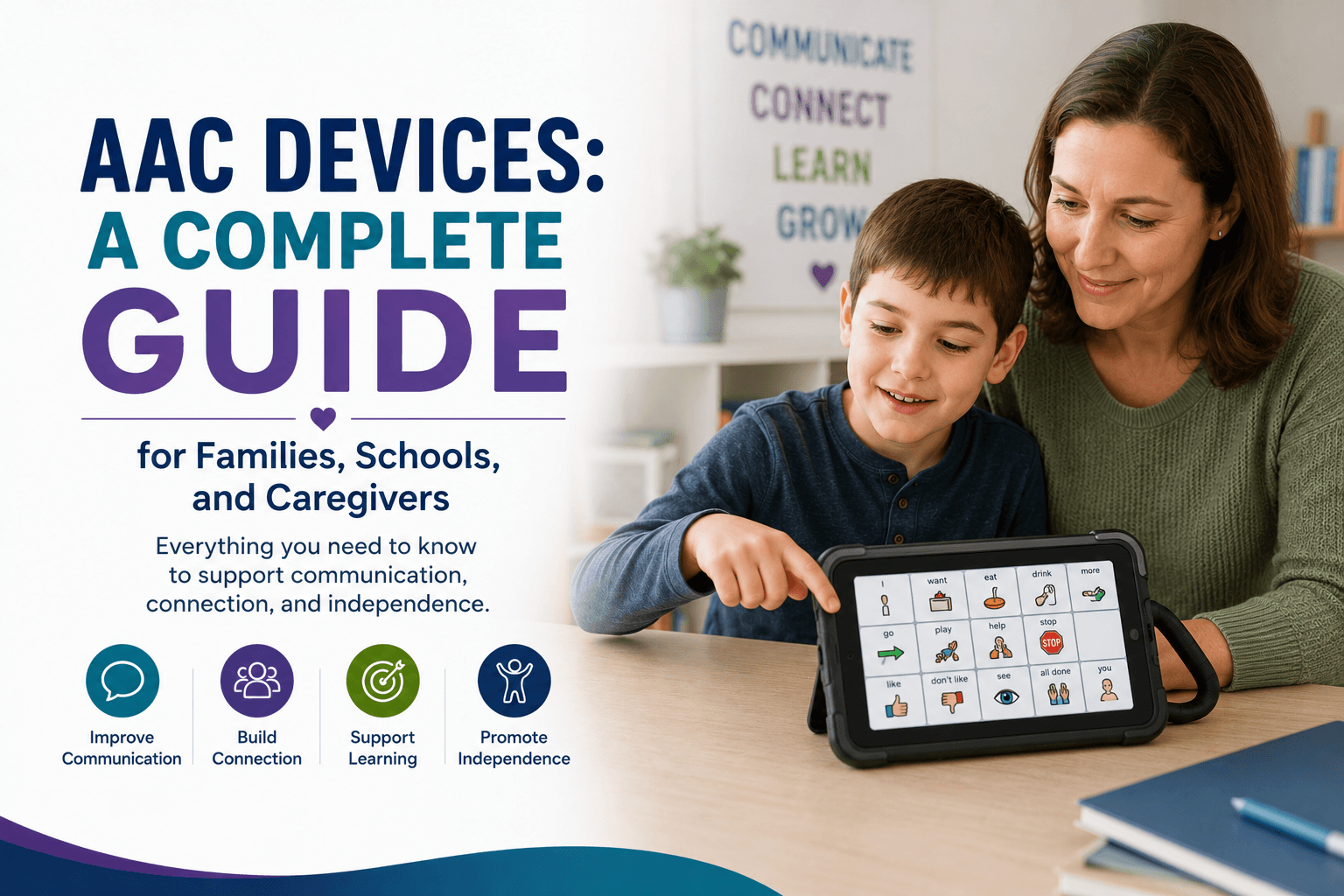
AAC devices help children, adults, and individuals with speech or language challenges communicate needs, choices, thoughts, emotions, and ideas when spoken communication is limited, unreliable, or not available. An AAC device can be as simple as a picture board or single message button, or as advanced as a speech generating communication system with multiple messages, symbols, voice output, and access options.
For many families, AAC devices are life changing because they give users a more consistent way to express themselves at home, school, therapy, work, and in the community. A child may use an AAC communication device to request a snack, answer a classroom question, greet a friend, or tell a caregiver something hurts. An adult may use AAC devices for speech after a stroke, neurological condition, traumatic brain injury, or progressive diagnosis.
This guide explains AAC device meaning, what is an AAC device, the main types of AAC devices, AAC devices examples, AAC device cost, AAC devices for autism, AAC devices for adults, high tech AAC devices, low tech AAC device options, insurance pathways, and how eSpecial Needs can help families and professionals shop AAC communication devices.
Explore eSpecial Needs AAC Communication and Assistive Tools, Assistive Technology, and Single Message Communication Devices to compare supportive communication products.
AAC Device Meaning
AAC stands for augmentative and alternative communication. Augmentative communication means adding support to existing speech. Alternative communication means using another method when speech is not available or not reliable.
An AAC device is a communication tool that helps a person express messages without relying only on spoken words. AAC devices may use pictures, symbols, recorded speech, text, buttons, switches, eye gaze, touch screens, or voice output.
AAC device meaning is simple at its core. It is a tool that helps someone communicate.
AAC may support users who:
- Are nonverbal
- Have limited speech
- Have unreliable speech
- Have speech that is difficult to understand
- Need help making choices
- Need communication support at school
- Need a voice output tool
- Have motor challenges that affect speech
- Need support after injury or illness
- Need help reducing frustration during communication
What Is an AAC Device?
Parents often ask, what is an AAC device and how does it work? An AAC device is any tool that helps a person communicate when speech alone is not enough. Some devices speak recorded messages. Others display symbols or words. Some are simple, while others are highly customizable.
An AAC device for speech may help a person:
- Request items
- Answer questions
- Make choices
- Share feelings
- Greet others
- Participate in school
- Join conversations
- Tell someone they need help
- Express pain or discomfort
- Communicate during therapy
- Build language skills
For example, a child may press a button that says “I want more.” A student may use a device to answer “yes” or “no.” An adult may use a speech generating system to communicate longer thoughts.
AbleNet QuickTalker FT 12 Communication Device – AAC Speech Generating Device
$265.00
Simple, Reliable Communication for Everyday Interactions The AbleNet QuickTalker FT 12 Communication Device, model 10000037, is a durable, easy-to-use AAC (Augmentative and Alternative Communication) device designed to help individuals with speech and language challenges communicate effectively. Featuring 12 message locations… read more

Who Uses An AAC Device?
AAC devices may help children, teens, adults, and seniors with a wide range of communication needs.
Common users include people with:
- Autism
- Cerebral palsy
- Down syndrome
- Developmental delays
- Apraxia of speech
- Speech delay
- Intellectual disabilities
- Traumatic brain injury
- Stroke
- ALS
- Parkinson’s disease
- Multiple sclerosis
- Muscular dystrophy
- Spinal cord injury
- Hearing and speech challenges
- Progressive neurological conditions
An AAC device for adults may support people who lose speech later in life, while an AAC device for autism may support children and adults who need more accessible ways to express needs, preferences, and ideas.
Why These Devices Matter
Communication affects almost every part of daily life. When someone cannot communicate clearly, frustration can increase and participation can become harder.
AAC devices may support:
- Greater independence
- Reduced frustration
- More consistent communication
- Better classroom participation
- Improved social interaction
- More choice making
- Better therapy engagement
- Increased safety
- More dignity
- Stronger caregiver understanding
- Better access to daily routines
AAC communication devices are not only for emergencies or basic needs. They can support real expression, social connection, learning, and independence.
AAC Devices for Autism
An AAC device for autism are communication tools that help autistic children and adults express themselves when speech is limited, delayed, unreliable, or difficult to use in certain situations. Some autistic people are nonverbal. Others speak sometimes but may lose access to speech during stress, sensory overload, transitions, or anxiety.
A device support plan may help with:
- Requesting preferred items
- Making choices
- Answering questions
- Reducing frustration
- Supporting transitions
- Participating in classroom routines
- Communicating sensory needs
- Sharing emotions
- Building social interaction
- Supporting independence
Families looking for an AAC device for autism should work with a speech language pathologist when possible. The right device should match the user’s language skills, motor access, visual processing, sensory needs, and daily routines.
Browse eSpecial Needs AAC Communication and Assistive Tools and Choice Making Communication Tools for helpful starting points.
AAC Devices for Autism Covered by Insurance
Families often ask about if these devices for autism are covered by insurance. Coverage depends on the insurance plan, diagnosis, medical necessity, device type, documentation, and provider recommendations.
Insurance may be more likely to consider coverage when the device is needed for functional communication and is supported by professional documentation.
A funding request may require:
- Speech language evaluation
- Diagnosis
- Communication assessment
- Letter of medical necessity
- Physician prescription
- Device trial notes
- Product quote
- Prior authorization
- Documentation showing why lower cost options are not enough
Some are purchased directly by families, schools, or clinics. Others may be funded through insurance, Medicaid, waiver programs, grants, or school services.
AAC Devices for Speech
They may be used by children learning early communication or adults who need speech support after injury, illness, or neurological change.
These devices for speech may provide:
- Recorded messages
- Voice output
- Symbol based communication
- Picture based communication
- Text based messages
- Simple yes and no responses
- Multi message communication
- Sequential messages
- Classroom participation
- Caregiver communication
A simple option like the LITTLE Step by Step Communicator can help users participate in repeated messages, social scripts, classroom routines, or step based communication activities.
QuickTalker FeatherTouch 23
$265.00
This dynamic speech device is easy to use, durable, and and goes everywhere with the user. QuickTalker FT 23 is perfect for use when reading a story, interacting during a lesson in the classroom, or communicating with a family member.… read more

AAC Communication Device Options
An AAC communication device can be simple or advanced. The right option depends on the user’s goals and access needs.
AAC communication devices may include:
- Single message devices
- Step by step communicators
- Multi message devices
- Picture based systems
- Symbol based boards
- Speech generating devices
- Switch activated devices
- Tablet based communication systems
- Mounted communication devices
- Eye gaze systems
- RFID based communication systems
For simple communication, browse Single Message Communication Devices. For broader support, explore AAC Communication and Assistive Tools.
Types of AAC Devices
There are many types communication devices. Some users need one tool, while others use several communication supports across different settings.
Low Tech AAC Device Options
A low tech AAC device does not require batteries, charging, or electronic voice output. These tools can be simple, portable, and affordable.
Examples include:
- Picture boards
- Choice cards
- Communication books
- Yes and no cards
- Symbol boards
- Visual schedules
- Core word boards
- Object based communication
- Printed communication pages
Low tech device options can be useful at home, school, therapy, travel, and as backup communication when electronic devices are not available.
Mid Tech AAC Devices
These devices usually include recorded speech or simple voice output without the complexity of a tablet based system. These can be easier to learn and may work well for early communicators, classrooms, therapy sessions, and users who need simple access.
Examples include:
- Single message buttons
- Sequential communicators
- Multi message recordable devices
- Lite touch communication devices
- RFID based communication devices
eSpecial Needs offers options such as the GoTalk 4 Lite Touch Communication Device, GoTalk 9 Plus Lite Touch Communication Device
GoTalk Duo
$58.95
The new Go Talk Duo provides different options with enhanced sound quality, one or two message capability, and a quick and easy way to change overlays. Find multiple uses with the one-message option; or use the duo mode for simple… read more

High Tech AAC Devices
These devices often use advanced software, touch screens, speech generation, customizable vocabulary, access methods, and sometimes eye gaze or switch access. These tools may support more complex communication.
High tech AAC devices may include:
- Speech generating devices
- Tablet based AAC systems
- Eye gaze communication systems
- Dynamic display devices
- Text to speech systems
- Symbol based voice output systems
- Devices with custom vocabulary
- Devices with access scanning
High tech AAC devices may be appropriate for users who need a larger vocabulary, more flexible messages, multiple communication settings, or more advanced access options.
Logan ProxPAD Choice Maker Standard Package
$1,394.95
The Logan® ProxPAD™ is a single location communication and learning aid for persons with physical, visual, or cognitive impairments and require tangible objects or other site cues to initiate communication. The ProxPAD uses RFID (radio frequency identification) and gives a… read more

List of AAC Devices
Examples include:
- Picture communication board
- Choice board
- Communication book
- Single message button
- Step by step communicator
- GoTalk communication device
- ProxTalker AAC device
- Speech generating device
- Tablet based AAC system
- Eye gaze AAC system
- Switch activated communication device
- Mounted AAC device
- Text to speech device
- Keyguard supported AAC device
- Voice output communication aid
For product browsing, visit AAC Communication and Assistive Tools, Single Message Communication Devices, and Assistive Technology.
AAC Device Examples
Here are common AAC devices examples by communication need.
For early communication:
- Single message buttons
- Picture choice boards
- Yes and no cards
- Cause and effect communicators
For classroom participation:
- Step by step communicators
- Multi message voice output devices
- Choice making tools
- Switch access devices
For more message options:
- GoTalk devices
- ProxTalker device
- Speech generating devices
- Tablet based AAC systems
For motor access support:
- Switch compatible devices
- Wireless switches
- Keyguards
- Mounts
- Larger buttons
- Lite touch activation devices
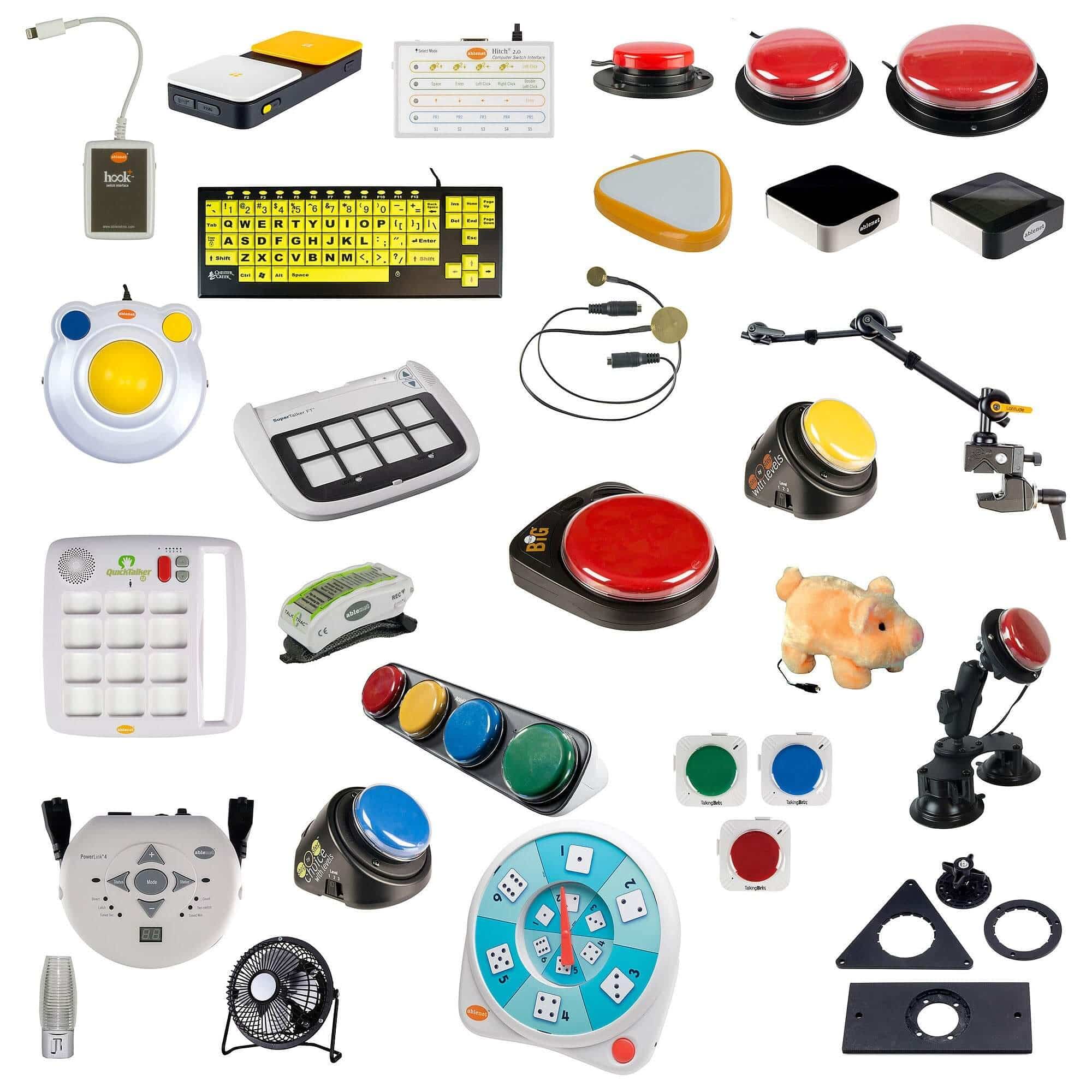
Explore Wireless Switches and Mounts for access support that can help users reach and activate communication tools more reliably.
Keyguard for AAC Device Access
A keyguard for AAC device use is a frame or overlay that helps separate buttons or touch areas so the user can make more accurate selections. Keyguards are especially helpful for users with tremors, poor finger isolation, motor planning challenges, limited hand control, or accidental touches.
A keyguard may help:
- Improve accuracy
- Reduce accidental hits
- Support users with motor challenges
- Make buttons easier to target
- Support classroom use
- Help caregivers and therapists customize access
Some devices, such as the GoTalk 9 Plus Lite Touch Communication Device, include a built in keyguard style feature.
AAC Device Cost
The cost varies widely depending on the type of system. Low tech supports may be inexpensive, while high tech devices can cost much more because they include hardware, software, customization, mounting, access options, and professional setup.
Cost factors may include:
- Device type
- Voice output features
- Number of messages
- Touch screen or button design
- Software needs
- Mounting equipment
- Switch access
- Keyguard needs
- Custom vocabulary
- Training and setup
- Warranty and durability
- Funding or insurance coverage
Families should consider both the upfront device cost and the long term support needed for successful use.
How to Choose the Right AAC Device
The best communication device is the one the user can access, understand, and use consistently in real life.
Consider:
- Age
- Diagnosis
- Speech ability
- Vision
- Hearing
- Fine motor control
- Hand strength
- Sensory needs
- Cognitive level
- Literacy level
- School needs
- Home routines
- Therapy goals
- Caregiver support
- Need for portability
- Need for mounting
- Funding source
A speech language pathologist can help evaluate communication needs and recommend appropriate communication devices.
Working with a Speech Language Pathologist
A speech language pathologist, often called an SLP, is one of the most important professionals in the AAC process. The SLP can assess communication needs, trial devices, build vocabulary, train caregivers, and help document medical necessity.
An SLP may evaluate:
- Current communication methods
- Expressive language
- Receptive language
- Symbol understanding
- Motor access
- Vision and hearing needs
- Social communication
- School participation
- Caregiver goals
- Device trial results
For autism, an SLP may also help select language layouts, core vocabulary, visual supports, and communication routines that match the user’s daily life.
AAC Devices for Adults
AAC devices for adults may support individuals who have communication needs due to stroke, ALS, Parkinson’s disease, traumatic brain injury, cerebral palsy, multiple sclerosis, developmental disabilities, or other conditions.
Adults may need AAC devices for:
- Medical communication
- Caregiver instructions
- Work participation
- Social connection
- Phone or digital access
- Community interaction
- Therapy participation
- Daily choice making
- Emergency communication
These devices for adults should be age appropriate, durable, easy to access, and matched to the person’s communication goals.
AAC Devices at School
Schools may use AAC devices to support communication, learning, social participation, therapy goals, and IEP access. A student may use an AAC communication device during circle time, classroom lessons, lunch, transitions, therapy, adapted physical education, or social activities.
School AAC support may include:
- Device access during the whole school day
- Teacher training
- Peer interaction practice
- SLP services
- OT support for access
- Visual supports
- Device mounting
- Communication goals in the IEP
Schools can browse AAC Communication and Assistive Tools, Choice Making Tools, and Sequential Communication Products.
Device Mounts and Access Supports
A great communication device is only useful if the person can reach, see, and activate it. Mounts and access tools help position communication devices where the user can use them consistently.
AAC access supports may include:
- Wheelchair mounts
- Table mounts
- Device holders
- Switch mounts
- Keyguards
- Wireless switches
- Large activation buttons
- Lite touch devices
- Adjustable stands
Explore Mounts and Wireless Switches at eSpecial Needs.
How to Get an AAC Device Through Insurance
Families often ask how to get a communication device through insurance. The process can vary, but it usually involves documentation from qualified professionals.
Common steps include:
- Talk with a speech language pathologist
- Complete an AAC evaluation
- Trial one or more AAC devices
- Choose the most appropriate device
- Get a product quote
- Request a physician prescription if required
- Prepare a letter of medical necessity
- Submit prior authorization
- Respond to insurance requests
- Appeal if denied
The evaluation should explain why the device is needed, why the chosen option is appropriate, and why lower cost options are not enough.
Medicaid, Private Insurance, and AAC Device Funding
AAC devices may be funded through Medicaid, private insurance, school services, waiver programs, grants, nonprofit support, or direct purchase. Funding depends on diagnosis, documentation, device type, payer rules, and medical necessity.
A funding packet may include:
- AAC evaluation
- Medical diagnosis
- SLP recommendation
- Physician prescription
- Letter of medical necessity
- Product quote
- Trial documentation
- Access needs
- Explanation of communication limitations
- Prior authorization forms
AAC devices for autism covered by insurance usually require clear documentation showing functional communication need and why the requested device is appropriate.
What If Insurance Denies an AAC Device?
A denial does not always mean the AAC device is not needed. It may mean the request needs stronger documentation or a clearer explanation.
To appeal, gather:
- Denial letter
- Updated SLP report
- Physician support
- Letter of medical necessity
- Product quote
- Device trial notes
- School documentation
- Caregiver statement
- Explanation of safety or functional need
- Proof that lower cost options are not sufficient
Families should submit appeals by the deadline listed in the denial letter.
AAC Device Training and Daily Use
AAC devices work best when caregivers, teachers, therapists, and family members use them consistently. The user needs many chances to communicate throughout the day, not only during therapy sessions.
Helpful strategies include:
- Keep the device nearby
- Model communication often
- Use the device during real routines
- Give the user time to respond
- Avoid forcing communication
- Practice with motivating activities
- Use the device at home and school
- Keep backup low tech supports available
- Update vocabulary as needs change
- Train everyone who supports the user
AAC communication devices should be part of daily life, not stored away for special occasions.
Common Mistakes When Choosing AAC Devices
Avoid these common mistakes:
- Choosing a device without an evaluation
- Picking the most expensive device first
- Ignoring motor access needs
- Not considering sensory needs
- Using the device only during therapy
- Not training caregivers or teachers
- Failing to update vocabulary
- Forgetting a backup low tech option
- Not considering mounting or keyguard needs
- Giving up too quickly during the learning phase
AAC use takes time. Progress may be gradual, but consistent access and support matter.
Where to Buy AAC Devices Online
Families, schools, therapists, and caregivers can shop AAC devices and communication support products through eSpecial Needs. Helpful collections include:
- AAC Communication and Assistive Tools
- Assistive Technology
- Single Message Communication Devices
- Choice Making Tools
- Sequential Communication Products
- Wireless Switches
- Mounts
Helpful product examples include:
- GoTalk 4 Lite Touch Communication Device
- GoTalk 9 Plus Lite Touch Communication Device
- Logan ProxTalker Mid Tech AAC Device
- LITTLE Step by Step Communicator
AAC devices give children and adults a way to communicate when speech alone is not enough. Whether the user needs a low tech AAC device, a simple AAC communication device, a single message button, a keyguard for AAC device access, or high tech AAC devices with voice output, the goal is the same: helping the person express needs, thoughts, choices, and feelings more clearly.
For families exploring AAC devices for autism, AAC devices for adults, AAC devices for speech, or how to get an AAC device through insurance, the best first step is a professional communication evaluation. From there, caregivers can compare device types, gather documentation, request quotes, explore coverage, and build a daily communication plan.
eSpecial Needs offers AAC devices, assistive technology, communication tools, switches, mounts, and related products to help families, schools, therapists, and caregivers support communication access at home, in school, in therapy, and throughout daily life.
FAQs
What are AAC devices?
AAC devices are communication tools that help people express needs, choices, thoughts, emotions, and ideas when spoken communication is limited, delayed, unreliable, or not available. AAC devices may include picture boards, single message buttons, speech generating devices, tablets, switches, communication books, and voice output tools.
What does AAC mean?
AAC means augmentative and alternative communication. Augmentative communication supports or adds to speech. Alternative communication gives a person another way to communicate when speech is not available or not reliable.
Who uses AAC devices?
AAC devices may be used by children, teens, adults, and seniors with autism, cerebral palsy, Down syndrome, developmental delays, apraxia of speech, stroke, traumatic brain injury, ALS, Parkinson’s disease, multiple sclerosis, muscular dystrophy, or other speech and communication challenges.
What is a step by step communicator?
A step by step communicator lets users play a sequence of recorded messages in order. It may help with storytelling, classroom participation, recipes, routines, social scripts, and multi step communication activities.
What is a GoTalk device?
A GoTalk AAC device is a portable voice output communication device that allows users to record and activate multiple messages. It is often used in classrooms, therapy sessions, home routines, and early communication programs.